
The right filter can turn an ordinary photo into a scroll stopping story. Instagram has thousands of AR effects made by creators around the world, but they are only useful if you can find and keep the ones you love. This guide shows you how to search filters on Instagram, save them for quick access, and use them well across Stories and Reels, along with a few pro tips to get the best looking results.
Understanding Instagram Filters and Effects
On Instagram, filters and effects are the same idea, small augmented reality overlays you apply through the camera. Some smooth or color grade your shot, while others add animations, backgrounds, or interactive elements. They live in the effects tray at the bottom of the Stories camera, and a huge library of them is created by independent effect makers. Because there are so many, knowing how to search is the key to finding a specific look rather than scrolling forever.
How to Search and Use Instagram Filters
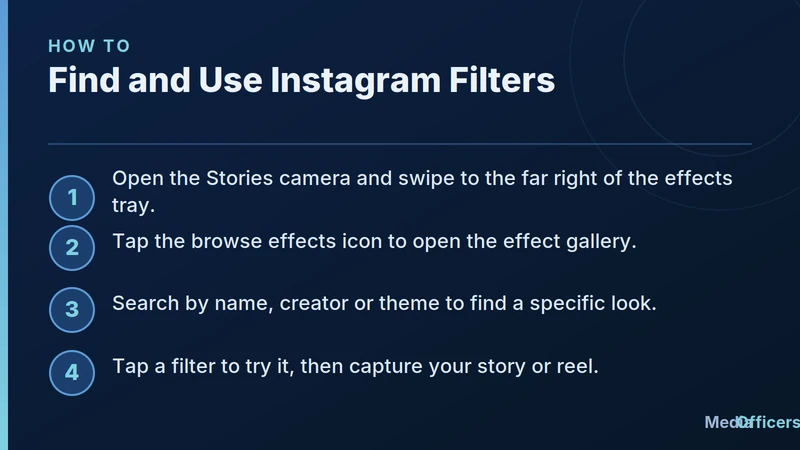
Infographic showing how to find and use Instagram filters from the effects gallery
Finding a filter is quick once you know where the gallery lives.
- Open the Stories camera and look at the row of effects along the bottom.
- Swipe all the way to the right of that row and tap the browse effects icon to open the effect gallery.
- Use the search option to look up an effect by name, creator, or theme.
- Tap a filter to try it live, then capture your story or reel with the effect applied.
Searching by theme is the fastest route when you have a vibe in mind, such as vintage, soft glow, or a specific color grade. Searching by creator helps when you already know an effect maker whose style you like.
How to Save Filters for Later
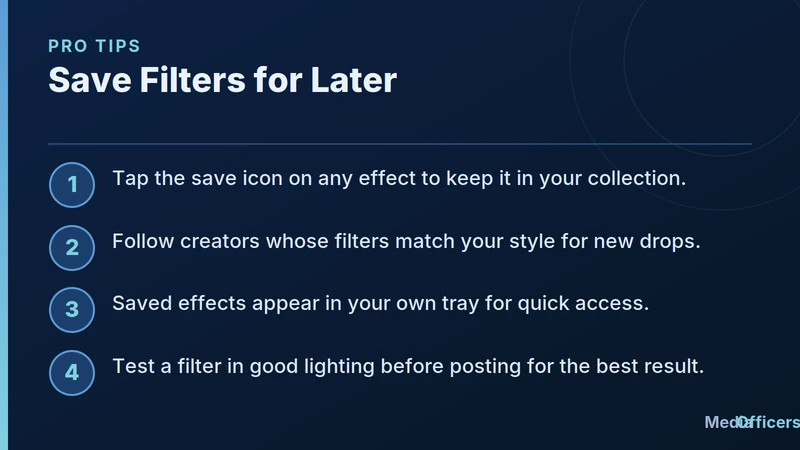
Infographic with pro tips to save Instagram filters and follow creators
Once you find an effect worth keeping, save it so you never lose it.
- Save the effect. Tap the save icon on a filter to add it to your collection so it is one tap away next time.
- Follow the creator. Following an effect maker means their new filters show up for you as they release them.
- Use your effects tray. Saved filters appear in your own tray, so you can build a consistent look for your feed.
- Test before you post. Try a filter in good lighting first, since the same effect can look very different in bright and dim settings.
Saving your favorites is what turns filters from a random novelty into part of your brand. A small set of go to effects keeps your Stories and Reels visually consistent.
Filters for a Consistent Brand Look
If you post for a business or personal brand, treat filters like a visual signature. Pick two or three effects that share a mood and reuse them, rather than a different look every day. Consistency helps people recognize your content instantly as they scroll. When you find a filter that matches your colors and tone, save it and lean on it, and only change things up when you want a deliberate shift in style.
Troubleshooting Common Filter Issues
If a filter you used before has disappeared, the creator may have removed or updated it, which is why saving effects and following makers matters. If the effect gallery will not load, make sure your app is updated and your connection is stable, since AR effects need to download. And if a filter looks grainy, the culprit is usually low light rather than the effect itself, so move to a brighter spot and try again.
Choosing the Right Filter for Your Content
Not every filter suits every post, so match the effect to your goal. For talking to camera in a Story, a subtle beauty or soft light effect keeps you looking natural without distracting from your message. For product shots, a clean color grade that stays true to the real item builds trust, since a wildly altered color can mislead buyers. For fun, high energy Reels, animated and interactive effects add personality and encourage people to try the effect themselves. The rule of thumb is simple. Use bold effects when playfulness is the point, and restrained effects when clarity and trust matter more.
How Filters Can Support Your Reach
Filters do more than decorate a post. A distinctive, well made effect can invite others to use it, and every time someone records with an effect, it points back to its creator. If you make or consistently use a recognizable look, your content becomes easier to identify as people scroll. Even if you are not an effect maker, a consistent visual style helps your audience recognize you instantly, which supports the kind of steady engagement that platforms reward. Think of your chosen filters as part of your content strategy rather than a last second decoration.
Keeping Your Saved Effects Organized
Once you start saving filters, your collection can grow quickly, so a little upkeep helps. Every so often, review your saved effects and remove the ones you no longer use, which keeps your tray quick to browse. Group your thinking by purpose, for example a couple of go to looks for talking to camera, one or two for products, and a few playful effects for Reels. When you know exactly which saved filter suits each type of post, you spend less time scrolling and more time creating. A tidy, intentional set of effects is far more useful than a huge, cluttered one.
Frequently Asked Questions
Where is the filter search on Instagram?
Open the Stories camera, swipe to the end of the effects row, tap the browse effects icon, then use search inside the gallery.
How do I save an Instagram filter?
Tap the save icon on the effect. It then appears in your own effects tray for quick reuse.
Why did my saved filter disappear?
The creator may have removed or changed it. Following the maker helps you keep up with their effects.
Can I use the same filter on Stories and Reels?
Yes. Most effects work across both, so you can keep a consistent look everywhere.
Bottom line: searching and saving filters on Instagram is easy once you know the effect gallery. Find looks by name, creator, or theme, save your favorites, and reuse a small set for a consistent style. A little organization turns thousands of effects into a signature look that is truly yours.

Written by
Rudhrah KeshavCo-Founder & Chief Revenue Officer (CRO)
Rudhrah Keshav is the Co-Founder & CRO at MediaOfficers. 16+ years SEO architect, published author of "AI Marketing for Indian Businesses" and "Local SEO" (Google Books / Amazon), featured in Yahoo Finance.


