
Sometimes you want a conversation that does not stick around. Instagram Vanish Mode gives you exactly that, a private space inside your direct messages where texts, photos, and videos disappear once they are seen and the chat is closed. It is built for casual, in the moment chats you would rather not keep. This guide shows you how to turn Vanish Mode on and off, how the disappearing works, and the privacy rules worth knowing before you use it.
What Is Instagram Vanish Mode?
Vanish Mode is a setting inside an Instagram direct message chat that makes the messages temporary. When it is on, anything you send in that chat vanishes after the other person has seen it and the conversation is closed. Nothing is saved to the normal chat history. Think of it as a self clearing whiteboard for a single conversation, useful for quick plans, jokes, or a chat you simply do not need on record.
It is a mode you switch on inside an existing chat rather than a separate inbox, so you can move in and out of it whenever you like with the same person.
How to Turn Vanish Mode On and Off
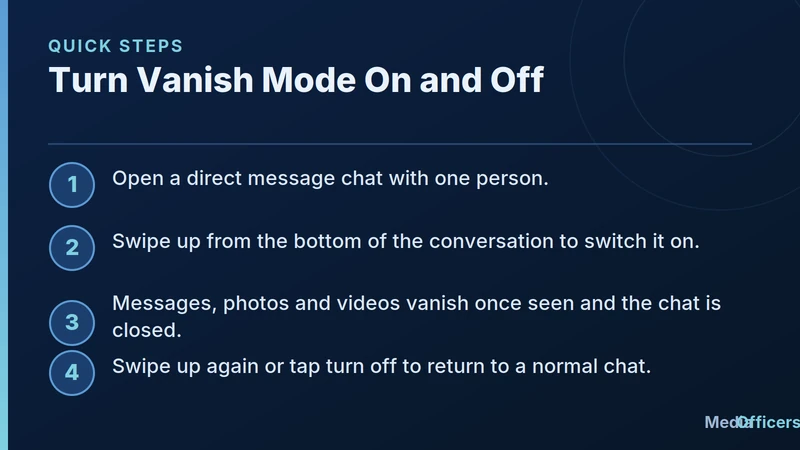
Infographic showing quick steps to turn Instagram vanish mode on and off
Switching it on takes one gesture.
- Open a direct message chat with the person you want to talk to.
- Swipe up from the bottom of the conversation. The screen shifts to show Vanish Mode is on.
- Chat normally. Messages, photos, and videos disappear once seen and the chat is closed.
- To leave, swipe up again or tap the turn off option, and the chat returns to normal.
Both people see a clear label when Vanish Mode is active, so no one is ever in it by accident. When you turn it off, only new messages go back to being permanent. The vanished ones are already gone.
How Disappearing Messages Actually Work
The timing is simple. A message stays visible while the chat is open so the other person can read it. Once they have seen it and the conversation is closed or Vanish Mode is switched off, that content clears for both of you. This is different from a normal chat, where everything remains until someone deletes it. Because the clearing is automatic, you do not have to remember to remove anything yourself.
Vanish Mode Privacy Rules You Should Know
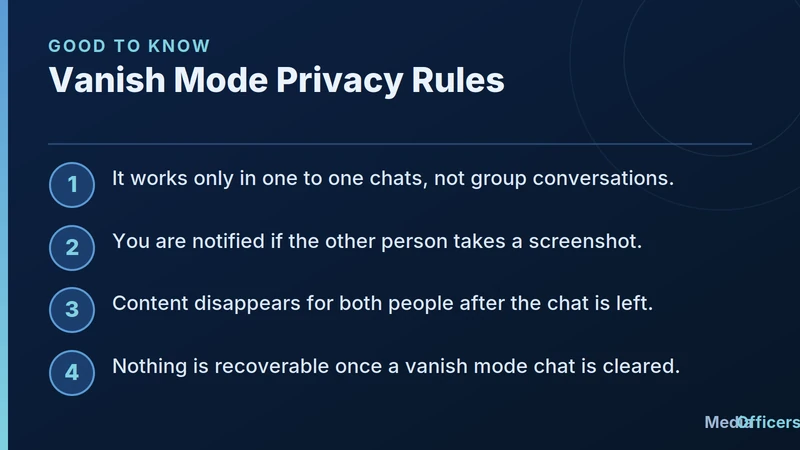
Infographic listing Instagram vanish mode privacy rules and screenshot alerts
Vanish Mode is private, but private does not mean invisible. Keep these rules in mind.
- One to one only. Vanish Mode works in individual chats, not in group conversations.
- Screenshot alerts. If the other person captures a screenshot of a vanish message, you are notified, so nothing is truly secret.
- Both sides clear. Content disappears for both people once the chat is left, not just for you.
- No recovery. Once a vanish chat is cleared, the messages cannot be brought back.
Treat Vanish Mode as low friction and casual rather than as a vault. It is great for keeping your inbox tidy, but you should never assume a message is unrecoverable proof of privacy, since the other person can still screenshot before it clears.
When to Use Vanish Mode
Vanish Mode shines for lightweight moments. Use it for making quick plans you do not need to reference later, sharing a passing thought, or trading playful messages that would only clutter your history. It also helps if you simply prefer a cleaner inbox and do not want every small exchange saved. For anything you might need to look back on, such as addresses, order details, or important instructions, stick with a normal chat so the information stays available.
Vanish Mode vs Deleting Messages
People often confuse Vanish Mode with simply deleting a message, but they work differently. When you delete a message in a normal chat, you are removing something that was saved, and the other person may have already seen or copied it. Vanish Mode flips that around. Messages are temporary from the start, so there is nothing lingering in the history to clean up later. If your goal is a conversation that never becomes part of your permanent inbox, Vanish Mode is the better tool. If you only occasionally want to remove one message from an otherwise normal chat, the delete option is enough.
Staying Safe in Vanish Mode
Because Vanish Mode feels private, it is worth a reminder about healthy habits. The screenshot alert tells you if someone captures your message, but it cannot prevent them from photographing the screen with another device. So treat anything you send as something that could still be saved by a determined person. Never share passwords, financial details, or anything sensitive in any chat, vanishing or not. Vanish Mode is excellent for keeping your inbox uncluttered and your casual chats light, but it is not a substitute for real caution about what you send online.
Where Vanish Mode Is Available
Vanish Mode lives inside the Instagram mobile app, since it depends on the swipe gesture within a chat. If you cannot find it, first make sure your app is fully updated, because features roll out over time and older versions may behave differently. You also need to be in a one to one chat rather than a group, as that is the only place the option appears. If a particular person cannot use it with you, confirm you are both on current versions of the app, and remember that a normal chat is always available as a fallback for anything you want to keep.
Frequently Asked Questions
Does the other person know Vanish Mode is on?
Yes. Both people see a clear label when the chat is in Vanish Mode.
Can I use Vanish Mode in a group chat?
No. It is available only in one to one direct message chats.
Will I know if someone screenshots my vanish message?
Yes. Instagram notifies you if the other person takes a screenshot in Vanish Mode.
Can I get a vanished message back?
No. Once the chat clears, the content is gone for good.
Bottom line: Instagram Vanish Mode is a simple way to have a private, self clearing chat with one person. Swipe up to start, chat freely, and let the messages disappear on their own. Just remember screenshots are still possible, so keep anything important in a normal conversation.
Turn Organic Search Visibility Into Qualified Revenue
Need an engineering-led team to audit your technical blockers, build sustainable topical authority, and scale your commercial rankings? Partner with MediaOfficers.

Written by
Rudhrah KeshavCo-Founder & Chief Revenue Officer (CRO)
Rudhrah Keshav is the Co-Founder & CRO at MediaOfficers. 16+ years SEO architect, published author of "AI Marketing for Indian Businesses" and "Local SEO" (Google Books / Amazon), featured in Yahoo Finance.


