
Spam calls waste time, break your focus, and sometimes hide real scams. Apple built a set of tools into iPhone that quietly handle unknown callers for you, so your phone rings far less for numbers that do not matter. In this guide you will learn how iOS Call Screening works, how it pairs with Live Voicemail and Silence Unknown Callers, and how to set everything up so genuine calls still reach you while spam gets filtered out.
What Is iOS Call Screening?
Call Screening is an iPhone feature that deals with calls from numbers not saved in your contacts. Instead of ringing straight away, your iPhone can answer an unknown call silently in the background and ask the caller who they are and why they are calling. You then see that information on screen and decide whether to pick up. Because most spam and robocallers will not respond to a screening prompt, they simply drop off, and your phone never disturbs you.
The important idea is control. Call Screening does not block people you know. Saved contacts ring through normally. It only adds a polite checkpoint in front of strangers, which is exactly where spam lives.
How iOS Call Screening Works
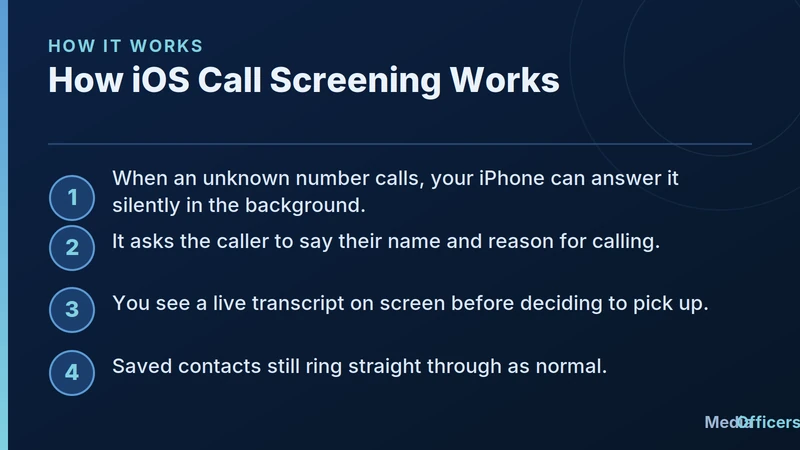
Infographic explaining how iOS call screening answers unknown callers and shows a live transcript
The flow is simple once it is on. When an unknown number calls, your iPhone answers in the background and prompts the caller to state their name and reason for calling. As they speak, a live transcript appears on your screen. If the call looks legitimate, you tap to accept it and continue as a normal call. If it is a robocall or a silent line, nothing happens and you are never interrupted. Real people who genuinely need you will answer the prompt, so you rarely miss anything that matters.
This background answering is what makes the feature powerful. It puts a human style question in front of every stranger, and automated spam systems almost never pass that test.
Live Voicemail and Real-Time Transcripts
Live Voicemail is the companion feature that helps when you do not answer. As a caller leaves a voicemail, your iPhone transcribes it on the lock screen in real time. You can read what is being said as it happens and pick up mid message if it turns out to be important. For anyone who screens calls to avoid interruptions, this gives you the safety net of never missing an urgent message while still keeping spam at arm's length.
How to Set Up Spam Call Protection
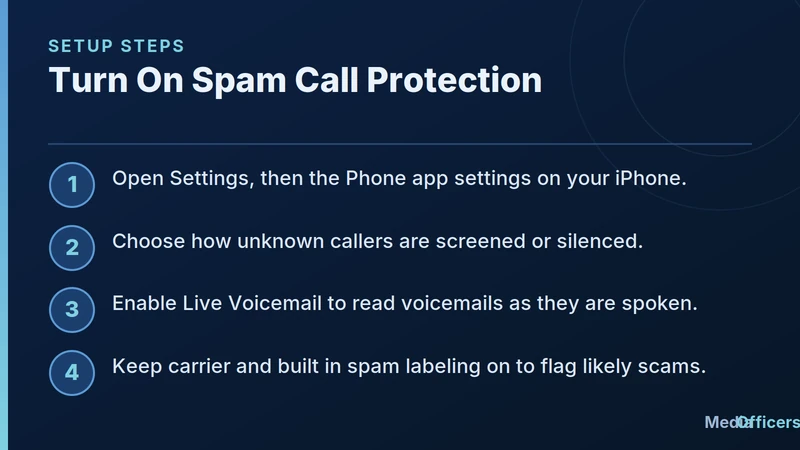
Infographic listing setup steps to turn on iOS spam call protection and live voicemail
Setting this up takes a couple of minutes in Settings.
- Open Settings and go to the Phone settings.
- Find the options for how unknown callers are handled, then choose to screen or silence them.
- Turn on Live Voicemail so voicemails are transcribed as they are spoken.
- Leave carrier and built in spam labeling enabled so likely scams are flagged before you even answer.
If you rely on calls from delivery drivers, clinics, or businesses that are not in your contacts, the screening approach is friendlier than a full block, because those callers can still identify themselves and reach you.
Silence Unknown Callers vs Call Screening
These two options solve the same problem in different ways. Silence Unknown Callers sends every number not in your contacts straight to voicemail without ringing, which is the strictest setting. Call Screening is a middle path that still gives strangers a chance to say who they are before you decide. Many people prefer screening because it filters spam without risking a missed call from a new but legitimate number. Choose the one that matches how often real strangers need to reach you.
Tips to Reduce Spam Calls Even Further
A few habits make these tools work even better. Save the numbers of people and services you deal with, so they always ring through. Avoid entering your phone number on random forms and giveaways, since that is how numbers leak to spam lists. When a spam call does slip through, mark it as spam or block it so your phone learns the pattern. Over time, the combination of screening, carrier labeling, and your own blocking keeps the noise low.
Who Benefits Most From Call Screening
Almost everyone gains something, but a few groups feel the difference immediately. People who receive a heavy volume of robocalls get their day back, since the constant interruptions simply stop. Anyone who has been targeted by scam calls gains a safety buffer, because a fraudster reading from a script rarely bothers to answer a screening prompt. Busy professionals who cannot afford random interruptions during meetings can let unknown callers explain themselves first. And older family members, who are often the target of phone scams, get a gentle layer of protection that does not require them to recognize a scam on the spot.
Common Myths About Call Screening
A few misunderstandings stop people from turning the feature on. The first myth is that screening blocks everyone, when in fact your saved contacts always ring through untouched. The second is that you will miss emergencies, but a real caller can state their purpose and you can accept the call the instant you see it is genuine. The third myth is that setup is complicated. In reality it is a handful of taps in your Phone settings, and once it is on it works quietly in the background without any further effort from you. Understanding these points makes it much easier to trust the feature and leave it enabled.
Frequently Asked Questions
Will Call Screening make me miss important calls?
Rarely. Real callers can state who they are, and you can pick up as soon as you see a legitimate reason on screen.
Does screening work for numbers in my contacts?
No. Saved contacts ring through normally. Screening applies only to unknown numbers.
Is Live Voicemail the same as Call Screening?
No. Call Screening handles the live call, while Live Voicemail transcribes a voicemail as it is being left.
Do these features cost anything?
No. They are built into iPhone. Some scam labeling may also come free from your carrier.
Bottom line: iOS Call Screening turns your iPhone into a polite gatekeeper. Strangers get a quick checkpoint, spam drops off on its own, and the people who matter still reach you. Set it up once, keep Live Voicemail on, and enjoy a much quieter phone.
Turn Organic Search Visibility Into Qualified Revenue
Need an engineering-led team to audit your technical blockers, build sustainable topical authority, and scale your commercial rankings? Partner with MediaOfficers.

Written by
Rudhrah KeshavCo-Founder & Chief Revenue Officer (CRO)
Rudhrah Keshav is the Co-Founder & CRO at MediaOfficers. 16+ years SEO architect, published author of "AI Marketing for Indian Businesses" and "Local SEO" (Google Books / Amazon), featured in Yahoo Finance.


