
In Bing Webmaster Tools Setup Guide we verified your site in Bing Webmaster Tools and submitted a sitemap. That covers discovery - Bing now knows your site exists and what is on it. This article covers speed: making sure that when you publish or update content, Bing reflects it almost immediately. That combination of a clean sitemap plus IndexNow is the technical backbone of Bing SEO, and it delivers something Google literally cannot: near-real-time indexing for any site, regardless of size or authority.
Key Takeaways
- Bing relies on XML sitemaps more heavily than Google - a clean, current sitemap is non-negotiable.
- IndexNow pushes URL changes to Bing in real time; indexing often happens within minutes.
- One IndexNow ping also notifies Yandex, Seznam, Naver, and other participating engines.
- Most WordPress SEO plugins (Rank Math, AIOSEO) and Cloudflare automate IndexNow completely.
- Fast indexing is now a GEO advantage: AI answers prefer fresh sources, and IndexNow ensures Copilot sees your latest version.
Part 1: Sitemap Best Practices for Bing
Your XML sitemap is the master list of URLs you want indexed. Bing's crawler treats it as a primary source of truth, so treat it with respect:
- Only include index-worthy URLs. No redirects, 404s, noindexed pages, or thin duplicates. Bing's own guidance notes that a sitemap full of junk erodes the crawler's trust in the whole file.
- Keep lastmod honest. Bing uses the lastmod timestamp to prioritize recrawls. Faking it to force crawls backfires - Bing learns to ignore your timestamps.
- Stay under limits. 50,000 URLs or 50MB per sitemap file; use a sitemap index file to chain multiple sitemaps for larger sites.
- Reference it in robots.txt. Add a Sitemap: line to robots.txt so Bing can find it even without submission.
- Resubmit after big changes. Site migration or mass content update? Resubmit in Bing Webmaster Tools > Sitemaps to trigger a fresh read.
Part 2: IndexNow - Real-Time Indexing
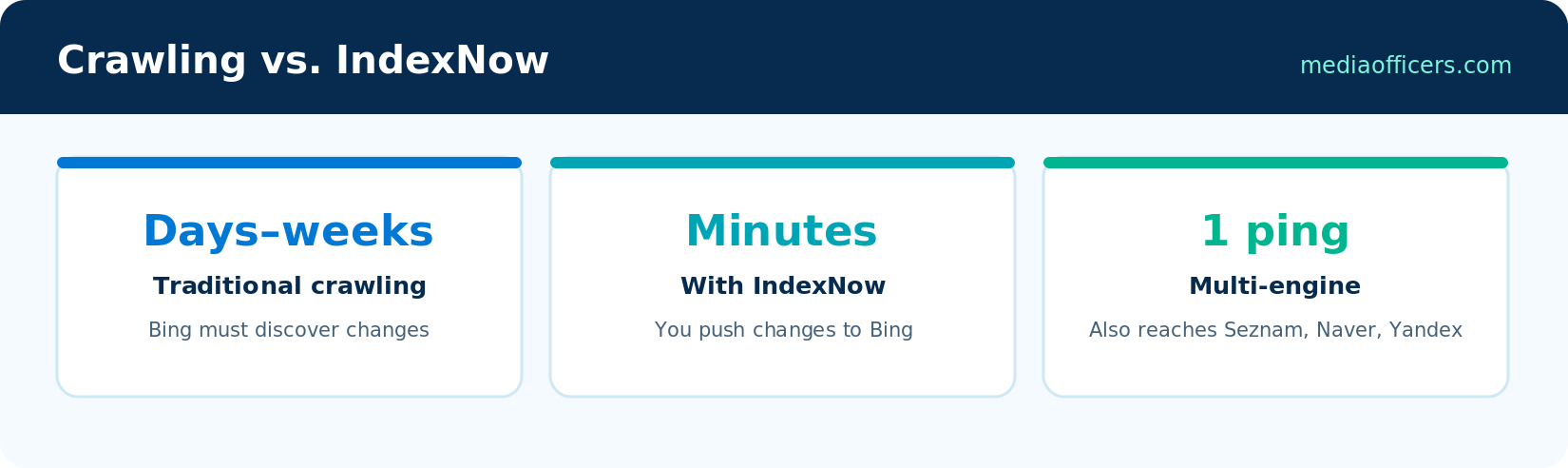
The speed difference: crawl-based discovery vs. IndexNow push
Traditional search indexing is pull-based: the engine crawls your site on its own schedule and eventually notices changes. For a small site, that schedule might be every few weeks. IndexNow inverts the model - it is push-based. Your site tells the search engine the moment something changes, and Bing typically crawls the submitted URL within minutes. Microsoft reports that over 100 million websites have adopted the protocol, and Cloudflare, Akamai, Shopify, Wix, and Duda submit through it automatically.
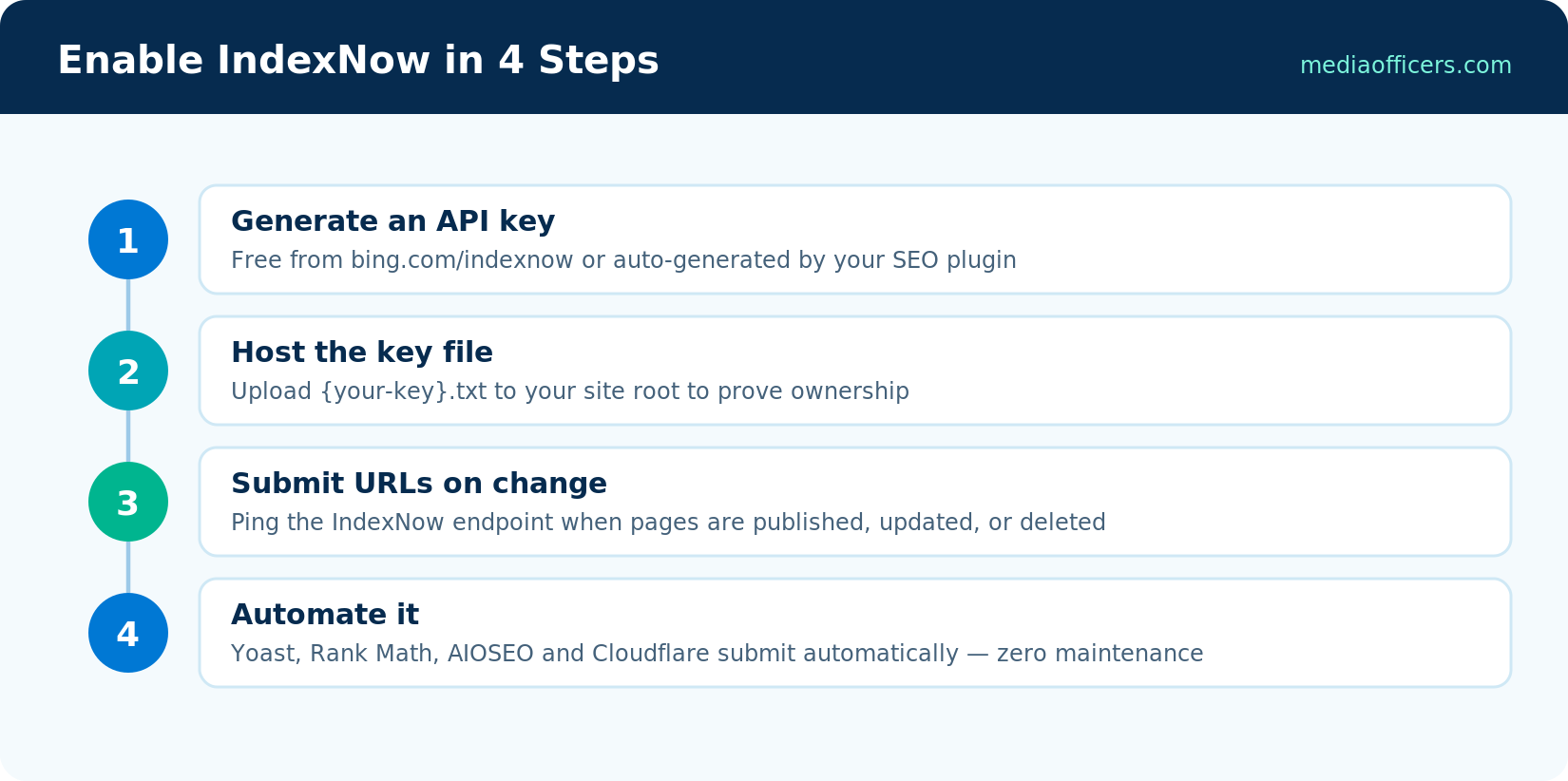
IndexNow setup in four steps
Step 1: Generate your API key
Visit bing.com/indexnow (or the IndexNow section in Bing Webmaster Tools) and generate a key - a random string like 8f7a2b... that identifies submissions as yours. It is free and takes one click.
Step 2: Host the key file
Upload a text file named {your-key}.txt containing the key itself to your site root: yoursite.com/{your-key}.txt. This proves the submissions for your domain come from you. SEO plugins that automate IndexNow serve this file virtually - nothing to upload.
Step 3: Submit URLs when they change
Ping the endpoint with any changed URL:
https://api.indexnow.org/indexnow?url=https://yoursite.com/new-post/&key=YOUR_KEY
Bulk submissions go via a small JSON POST - up to 10,000 URLs per call. One ping distributes to all participating engines: Bing, Yandex, Seznam, Naver, and Amazon's crawler.
Step 4: Automate it and forget it
Nobody pings APIs manually. Turn on the integration you already have: Rank Math (Instant Indexing module), All in One SEO, SEOPress, or the official IndexNow WordPress plugin by Microsoft. Cloudflare users can enable Crawler Hints - Cloudflare fires IndexNow pings automatically whenever cached content changes. Shopify and Wix do this natively. Once enabled, every publish, update, and delete notifies Bing without you thinking about it.
Why Indexing Speed Is Now a GEO Weapon
Fast indexing used to matter mainly for news sites. AI search changed that calculus. Microsoft's own guidance on AI visibility highlights IndexNow because Copilot and Bing's AI summaries prefer to ground answers in the freshest available version of a page. If you update a statistics page today and Bing indexes it within minutes, your updated numbers can appear in AI answers today - while a competitor waiting on a Google crawl serves stale data for weeks. Combined with the freshness signals we cover in Rank in Copilot & AI Search playbook, IndexNow is the cheapest GEO advantage available.
Verifying It Works
In Bing Webmaster Tools, open the IndexNow report to see submitted URLs and their status. Spot-check a fresh post: publish it, wait ten minutes, then search the exact URL on Bing or run it through URL Inspection. If submissions show but pages stay unindexed, the issue is usually quality thresholds or crawl blocks - exactly what Fixing Bing Indexing Issues guide of this series diagnoses step by step.
Platform-by-Platform Setup Cheat Sheet
- WordPress + Rank Math: Dashboard > Rank Math > Instant Indexing. The module generates the key, hosts the key file virtually, and pings on every publish, update, and trash action. Nothing else to configure.
- WordPress + AIOSEO or SEOPress: Both include an IndexNow toggle under their sitemap/webmaster settings. Enable it, save, done.
- WordPress without an SEO plugin: Install Microsoft's official 'IndexNow' plugin - it does one job and does it silently.
- Cloudflare: Caching > Configuration > Crawler Hints. Works for any site behind Cloudflare regardless of CMS - useful for custom-built sites where you'd rather not write integration code.
- Shopify, Wix, Duda: Already submitting via IndexNow platform-wide. Verify in Bing Webmaster Tools' IndexNow report that submissions are arriving, and you're done.
- Custom sites: Fire a POST to api.indexnow.org from your publish pipeline or CMS webhook. The payload is four fields: host, key, keyLocation, urlList. Ten lines of code in any language.
One caution applies everywhere: only submit URLs whose content genuinely changed. Blasting your full URL list daily looks like spam to the protocol's abuse detection, and Bing has said repeatedly that meaningless pings reduce trust in a site's submissions. Let the automation fire on real events and the trust compounds in your favor.
Frequently Asked Questions
Is IndexNow free?
Yes - the protocol, the API key, and every integration mentioned here are free.
Does Google support IndexNow?
No. Google has tested it but relies on its own crawling. IndexNow currently benefits Bing, Yandex, Seznam, Naver, and partners - one more reason Bing indexing is structurally faster.
Does IndexNow guarantee indexing?
No. It guarantees Bing knows about the URL immediately; Bing still applies quality checks before indexing. Thin or duplicate pages can be crawled and skipped.
How many URLs can I submit?
Up to 10,000 URLs per bulk submission, and Bing Webmaster Tools separately allows 10,000 daily URL submissions for established sites.
Do I still need a sitemap if I use IndexNow?
Yes. The sitemap is your complete catalog; IndexNow is the change feed. Bing recommends both together.
What's Next in the Series
Indexing is handled. In Bing Keyword Research we move to demand: using Bing Webmaster Tools' free Keyword Research tool - with exact volumes from real Bing queries - to find keywords your competitors don't know exist.
For keyword volume research specifically tailored to Bing search traffic, explore our complete guide on Bing Keyword Research: Free Tool With Exact Volumes.
Ready to Build Your Brand's Authority in AI Search & Generative Engines?
Don't let zero-click summaries replace your organic traffic. MediaOfficers architects entity graphs, crawler accessibility, and citation eligibility across Google AI Overviews, Microsoft Copilot, and Perplexity.

Written by
Rudhrah KeshavCo-Founder & Chief Revenue Officer (CRO)
Rudhrah Keshav is the Co-Founder & CRO at MediaOfficers. 16+ years SEO architect, published author of "AI Marketing for Indian Businesses" and "Local SEO" (Google Books / Amazon), featured in Yahoo Finance.


