
Nothing in SEO is more frustrating than publishing good content that simply does not appear in search. On Bing the frustration has a silver lining: the diagnostic tooling is excellent, and the causes are finite and fixable. This article is the repair manual - work the checklist top to bottom and you will find your blocker. Keep your Bing Webmaster Tools dashboard (Bing Webmaster Tools Setup Guide) open in another tab.
Key Takeaways
- First check whether Bing knows about the page at all: search site:yoursite.com/the-page on Bing, then confirm with URL Inspection.
- Accidental robots.txt rules and stray noindex tags cause the plurality of indexing failures.
- Bingbot is less tolerant of slow servers than Googlebot - response times above a few seconds cost you crawl coverage.
- Bing indexes more selectively than Google; thin or duplicative pages are crawled but deliberately skipped.
- After any fix, resubmit via URL Submission or IndexNow - verified sites can submit up to 10,000 URLs per day.
The 5-Step Diagnosis
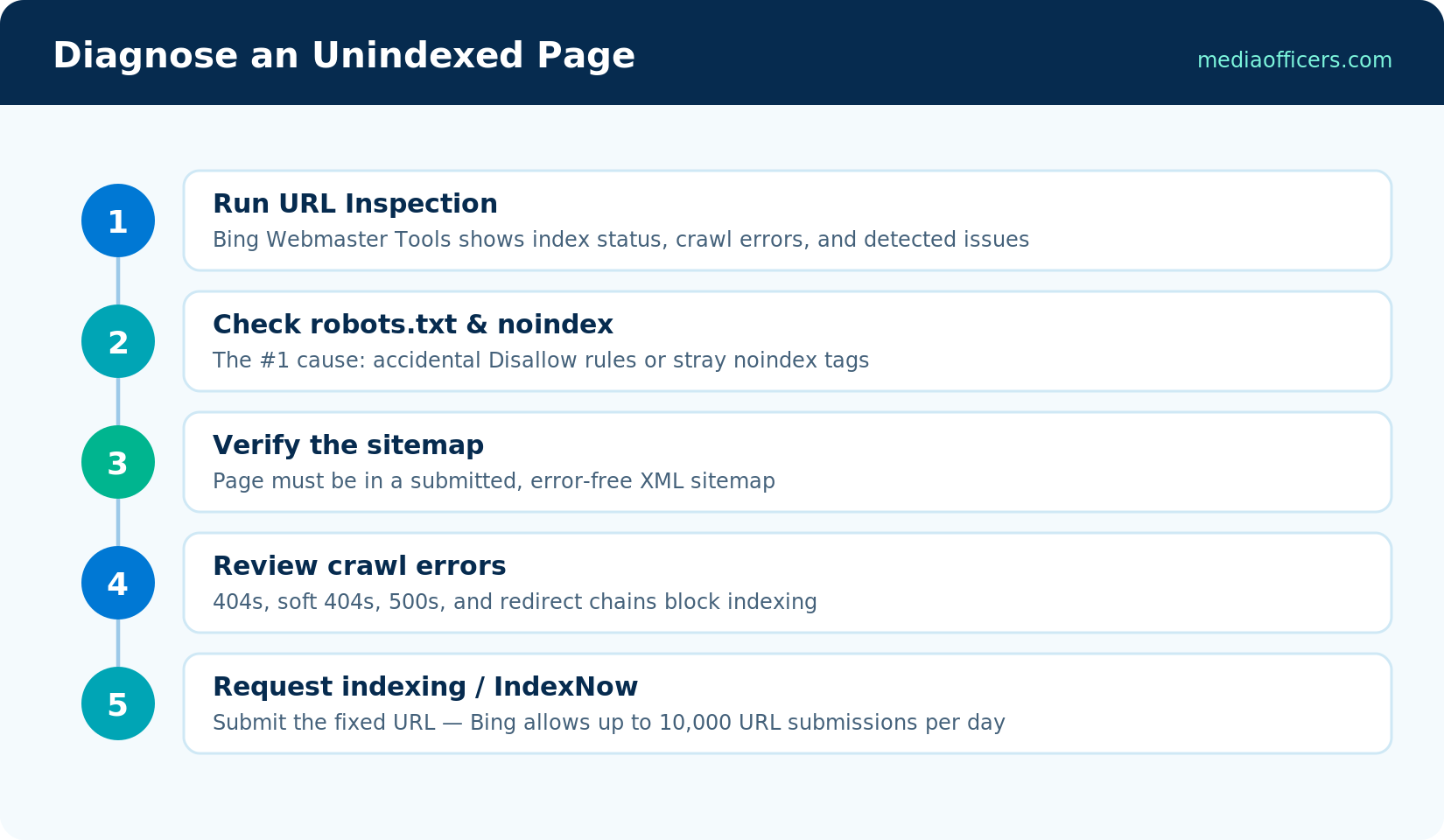
Work the steps in order - each rules out a class of problem
Step 1: Establish the facts with URL Inspection
Paste the missing URL into URL Inspection in Bing Webmaster Tools. The verdict directs everything that follows: Indexed (it's in - your issue is ranking, not indexing), Crawled but not indexed (usually a quality signal - see step 5), Discovered but not crawled (crawl budget or server speed - step 4), or Crawl error / blocked (a technical blocker - steps 2 and 3). The report also shows the last crawl date and any specific errors Bingbot hit.
Step 2: Hunt blocking directives
The classics, responsible for more indexing failures than everything else combined:
- robots.txt. Check yoursite.com/robots.txt for Disallow rules catching the page, including rules scoped to User-agent: bingbot. Staging-site blocks that survived a launch are a perennial offender.
- Meta noindex. View the page source for <meta name="robots" content="noindex">. In WordPress, the 'Discourage search engines' setting and per-post SEO plugin toggles both plant this tag.
- X-Robots-Tag header. The invisible one - a noindex sent as an HTTP header by server config or CDN. Check with browser dev tools or curl -I.
- Canonical pointing elsewhere. A canonical tag referencing a different URL tells Bing to index that URL instead. Verify every page canonicals to itself unless you intend otherwise.
Step 3: Verify sitemap membership and crawl errors
Confirm the URL is present in a submitted, error-free sitemap (Sitemaps section shows fetch status and parse errors). Then review crawl errors in Site Scan (Bing Webmaster Tools Reports guide): 404s from renamed URLs without redirects, redirect chains longer than two hops, soft 404s (thin pages returning 200), and 5xx server errors all stall indexing. Fix redirects to single hops and make dead URLs return proper 404 or 410 codes.
Step 4: Check server speed and crawl budget
Bingbot allocates limited attention per site, and slow responses burn it fast. If URL Inspection shows 'discovered but not crawled' across many pages, measure your server's time-to-first-byte - consistently above two or three seconds means Bingbot is rationing you. Fixes: better hosting, page caching, a CDN. Crawl Control settings in BWT let you raise Bingbot's allowed crawl rate (and make sure it wasn't throttled to protect a weak server years ago).
Step 5: Face the quality question
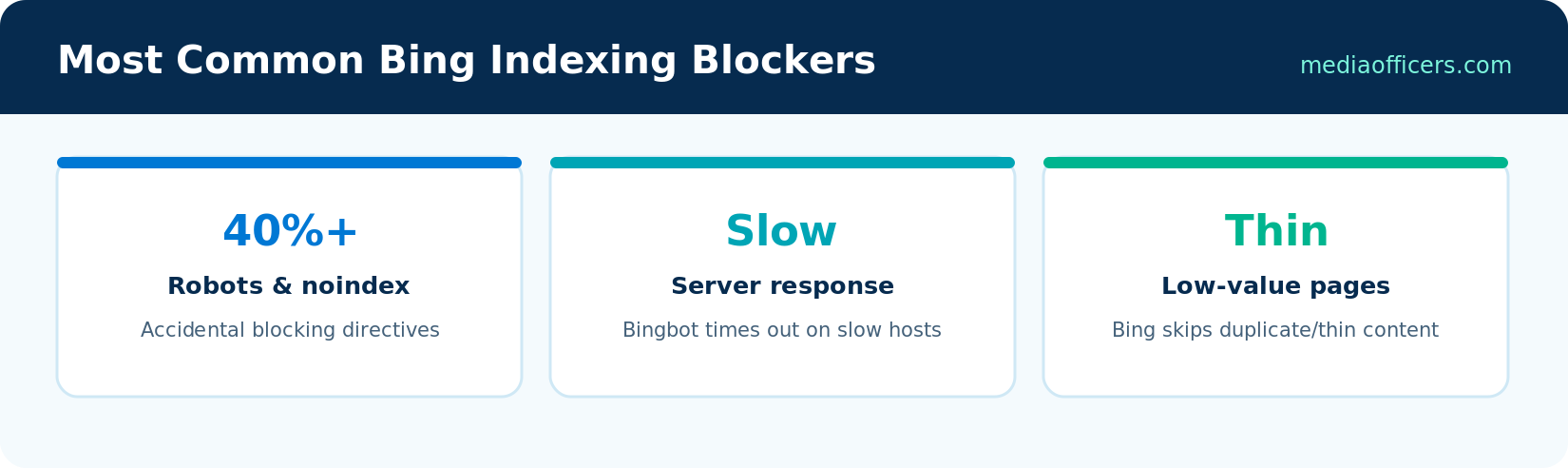
The three big blocker categories at a glance
'Crawled but not indexed' with no technical blocker means Bing evaluated the page and declined it. Bing indexes more selectively than Google - it openly prioritizes pages worth serving. Honest questions: Is the content substantially duplicated elsewhere (even on your own site)? Is it thin - a few hundred words saying what a thousand other pages say? Does the page target a real query? The cure is consolidation and depth: merge overlapping pages, expand genuinely useful ones to the standard in On-Page SEO for Bing guide, and delete dead weight. Sites that prune aggressively routinely see indexing rates rise across everything that remains.
After the Fix: Getting Reindexed Fast
Once repaired, don't wait for a natural recrawl. Submit the URL via URL Submission in BWT (up to 10,000/day for verified sites) or fire an IndexNow ping (Bing Sitemaps & IndexNow guide) - either typically triggers a crawl within hours. For site-wide fixes, resubmit the sitemap too. Then verify with URL Inspection a few days later, and keep the weekly Search Performance habit from Bing Webmaster Tools Reports guide so the next issue announces itself early.
Special Cases Worth Knowing
- JavaScript-heavy sites. Bingbot renders JavaScript, but less aggressively than Googlebot. If your content only exists after client-side rendering, indexing gets slow and patchy - server-side rendering or pre-rendering for crawlers reliably fixes it. Test by viewing your page with JavaScript disabled: whatever you can't see, Bingbot may not either.
- Site migrations. Bing is slower than Google to process mass redirects. Keep 301s live for at least six months, resubmit the new sitemap immediately, and use the Site Move tool in Bing Webmaster Tools to tell Bing explicitly about domain changes.
- New domains. Fresh domains start with minimal trust (Bing Ranking Factors), so even flawless pages index slowly at first. IndexNow, a few early authority links, and patience are the honest program - indexing velocity improves visibly as trust accrues.
- Faceted and parameter URLs. E-commerce filters can generate thousands of near-duplicate URLs that drain crawl budget from pages that matter. Canonicalize variants to the base page and keep parameters out of the sitemap.
Frequently Asked Questions
Why does Google index my page but Bing doesn't?
Different crawlers, budgets, and thresholds. Common causes: robots rules scoped to bingbot, server speed (Bingbot is less patient), and Bing's stricter quality selectivity on thin content.
How long does Bing take to index a new site?
With a verified BWT account, submitted sitemap, and IndexNow, days. Without them, weeks - new domains also carry less trust (Bing Ranking Factors), so early pages index slower until authority builds.
What does 'crawled but not indexed' mean in Bing?
Bingbot fetched the page but chose not to index it - in the absence of technical blockers, a quality or duplication verdict. Improve depth and uniqueness, then resubmit.
How do I check how many of my pages Bing has indexed?
Search site:yoursite.com on Bing for a rough count, or use the Index Explorer-style views in Bing Webmaster Tools for authoritative per-section data.
Can I force Bing to crawl my site more?
You can invite it: Crawl Control settings, faster hosting, clean sitemaps with honest lastmod values, and IndexNow pings all increase effective crawl coverage.
What's Next in the Series
With indexing solid, we widen the lens. Bing Places & Local SEO guide covers local: Bing Places for Business - the free listing that puts you on Bing, Bing Maps, Yahoo, Windows search, and Copilot's local answers, with a one-way sync from your Google Business Profile.

Written by
Rudhrah KeshavCo-Founder & Chief Revenue Officer (CRO)
Rudhrah Keshav is the Co-Founder & CRO at MediaOfficers. 16+ years SEO architect, published author of "AI Marketing for Indian Businesses" and "Local SEO" (Google Books / Amazon), featured in Yahoo Finance.


