
Keyword research usually means paying for Semrush or Ahrefs, or squinting at Google Keyword Planner's '1K - 10K' ranges. Meanwhile, sitting inside the Bing Webmaster Tools account you set up in Bing Webmaster Tools Setup Guide is a keyword tool that is free, precise, and pulls from a data source your competitors ignore. In this article we cover what makes Bing's keyword data different, a five-step research workflow, and how to turn findings into a keyword map for the on-page work coming in On-Page SEO for Bing guide.
Key Takeaways
- Bing's Keyword Research tool is free with any verified Bing Webmaster Tools account.
- It reports exact volumes from organic Bing queries - no ad-spend gating, no bucketed ranges.
- Filters cover country, language, device, and question-format queries.
- Bing keywords often have dramatically lower competition than identical Google keywords.
- Question keywords double as GEO targets - they are the prompts users type into Copilot.
Why Bing's Keyword Data Is Genuinely Different
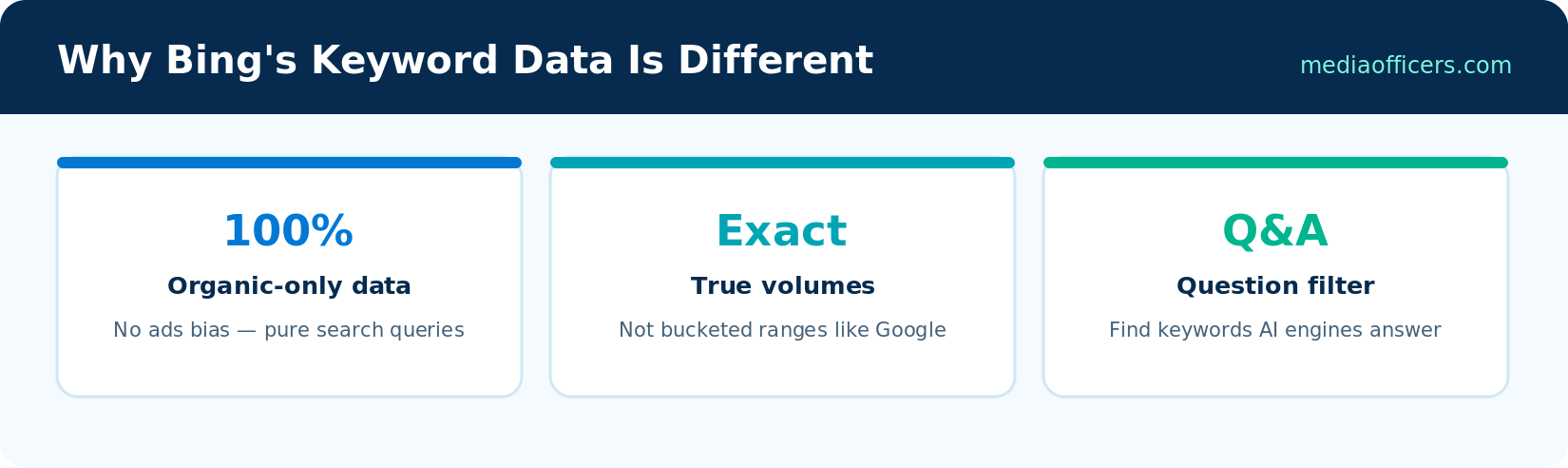
Three properties that set Bing keyword data apart
- It is organic-first. Google Keyword Planner exists to sell ads; its volumes blend and bucket data to serve advertisers. Bing's tool was built for webmasters - the numbers reflect what people actually type into Bing search.
- Exact numbers, not ranges. You see 1,847 monthly searches, not '1K - 10K'. That precision matters when prioritizing between twenty candidate topics.
- A different searcher. Bing's audience skews desktop, professional, and older. Query patterns differ from Google's - B2B phrases, product research, and how-to queries are over-represented, and some convert better precisely because of who is searching.
The 5-Step Bing Keyword Research Workflow
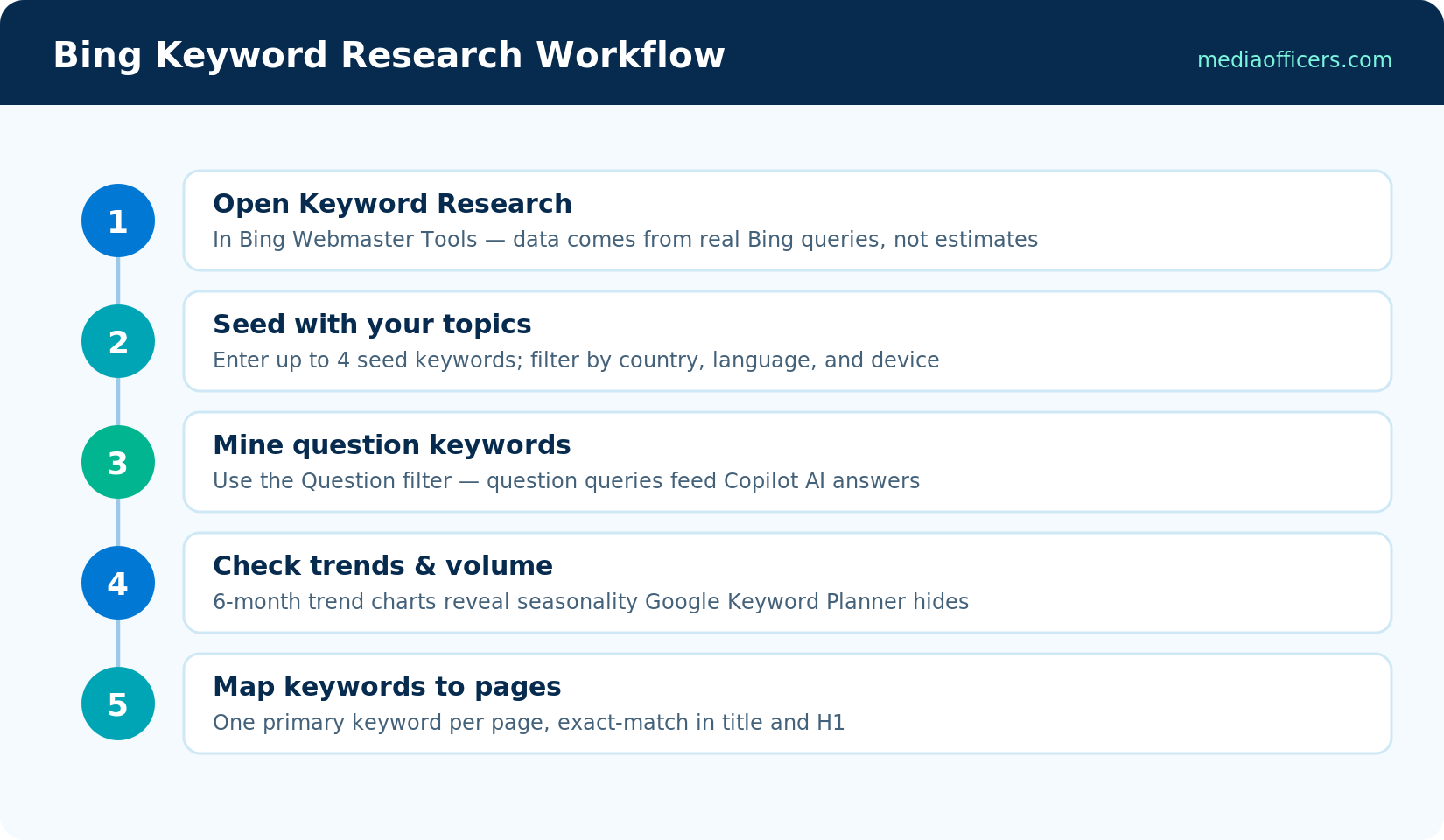
From seed keywords to a page-level keyword map
Step 1: Open the tool and set your market
In Bing Webmaster Tools, choose Keyword Research from the left menu. Set country and language filters first - default worldwide data will mislead you if you serve one market. Device filtering (desktop vs. mobile) is worth checking for Bing specifically, since its desktop share is double its overall share.
Step 2: Enter seed keywords
Enter up to four seeds - your core services, products, or topics. The tool returns related keywords, each with search volume, impressions, and trend data. Start broad ('email marketing'), then re-seed with the best discoveries ('email marketing benchmarks') to go deeper.
Step 3: Mine the Question filter
Toggle the Question filter to see only question-format queries: how, what, why, can, does. These are gold twice over. First, they map to featured-snippet-style results on Bing. Second, they are literally the prompts people type into Copilot and ChatGPT - answer them well and you become the source AI cites. (Rank in Copilot & AI Search playbook builds an entire GEO strategy on this.)
Step 4: Read the trend charts
Each keyword shows a trend line over recent months. Rising queries are opportunities to publish before competition arrives; seasonal patterns tell you when to refresh content. A keyword with modest average volume but a steep upward trend usually beats a flat high-volume keyword.
Step 5: Build your keyword map
Export or copy your shortlist into a simple sheet: keyword, volume, trend, intent (informational / commercial / transactional), and the page that will target it. The cardinal rule for Bing: one primary keyword per page, used exact-match in the title and H1. Bing's literal matching (Bing SEO in 2026 Guide) makes disciplined mapping more rewarding than on Google - two pages loosely targeting the same phrase will cannibalize each other.
Finding Keywords Your Competitors Don't Know Exist
Two under-used plays. First, harvest your own Search Performance report: filter for queries where you already get impressions but rank on page two - these are half-won battles where one optimization pass often yields page one. Second, use volume gaps: a keyword showing healthy Bing volume but thin, outdated results on Bing's first page is a fast win, because most publishers optimized those pages for Google and never checked how they look on Bing. Ten minutes of manually scanning Bing's results for your shortlist reveals more opportunity than an hour in a paid tool.
A Worked Example: From Seed to Published Page
To make the workflow concrete, imagine you run a digital agency and seed the tool with 'email marketing'. The related-keywords list surfaces 'email marketing benchmarks' with solid volume and a rising trend - a promising sign that buyers are researching. Re-seeding with that phrase reveals the question cluster around it: 'what is a good email open rate', 'what is a good click rate for email', 'how often should I send marketing emails'. The Question filter shows steady volume on all three.
That cluster is one article, not three. You map the primary keyword ('email marketing benchmarks') to a new page, assign the three questions as H2 sections, and note the trend peak in January - when marketers plan budgets - as your refresh date. Title: 'Email Marketing Benchmarks 2026: Open Rates, Click Rates & Sending Frequency'. Exact-match primary keyword up front, question keywords in the headings, one page cleanly owning the whole cluster. That is the entire discipline of Bing keyword mapping in miniature: precise phrases, question coverage, no cannibalization.
Now scale the habit: one seed session per month, ten minutes reviewing Search Performance for half-won queries, and a running keyword map that every new article draws from. Within a quarter you will have a content pipeline built on data your competitors never look at.
Pairing Bing Data With Other Sources
Bing's tool tells you what Bing users search; it does not tell you everything. A pragmatic stack: use Bing Keyword Research for exact volumes, question mining, and trend timing; cross-check commercial keywords against Google autocomplete and 'People also ask' to confirm the demand exists at scale; and use your own Search Performance data (both BWT and GSC) as the final arbiter of what actually earns impressions. When the three sources agree a topic matters, write it. When only Bing shows volume, you may have found the best kind of keyword - one with real searchers and no competition.
Frequently Asked Questions
Is Bing's keyword research tool really free?
Yes - it is included with any verified Bing Webmaster Tools account, with no usage tier or paid upgrade.
How accurate are Bing keyword volumes?
They reflect actual Bing organic queries and are exact rather than bucketed. Remember they describe Bing's search volume only - multiply your expectations accordingly, but also expect far lower competition.
Can I use Bing keyword data for Google SEO?
Directionally, yes. Relative popularity and question phrasing transfer well across engines, though absolute volumes and demographics differ.
Does the tool show keyword difficulty?
Not as a single score. Gauge difficulty by manually reviewing Bing's first page for the keyword - thin or dated results signal an easy win.
What are the best keywords to target on Bing?
Desktop-heavy, professional, and question-format queries perform disproportionately well, reflecting Bing's B2B-leaning, older, office-based audience.
What's Next in the Series
You have a keyword map. On-Page SEO for Bing guide puts it to work: on-page SEO for Bing - exact-match titles, meta tags, heading structure, and the multimedia signals Bing openly rewards.

Written by
Rudhrah KeshavCo-Founder & Chief Revenue Officer (CRO)
Rudhrah Keshav is the Co-Founder & CRO at MediaOfficers. 16+ years SEO architect, published author of "AI Marketing for Indian Businesses" and "Local SEO" (Google Books / Amazon), featured in Yahoo Finance.


